Free for teaching

The joy of solving. The freedom to explore.

Sudoku, Calcudoku, Colodoku: explore the rules, boards and tools to play at your own pace.

Three modes, sixteen sets

Three ways of filling a cell

A single engine solves and builds every grid, and it knows nothing of a row or a column: it is given groups of cells that must all differ. Changing the mode means changing what a cell contains.

The classicSudoku

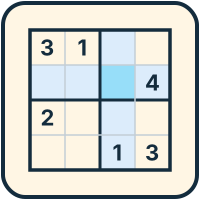
A cell holds a digit — a letter beyond nine cells a side — or whatever you type yourself: letters, syllables, words. All the deduction comes from the groups: rows, columns, regions… and, on the other boards, three-direction rows or zones. It is played on all five shapes, from 2×2 to 26×26.

2×2 → 26×26MultidokuBonus windows
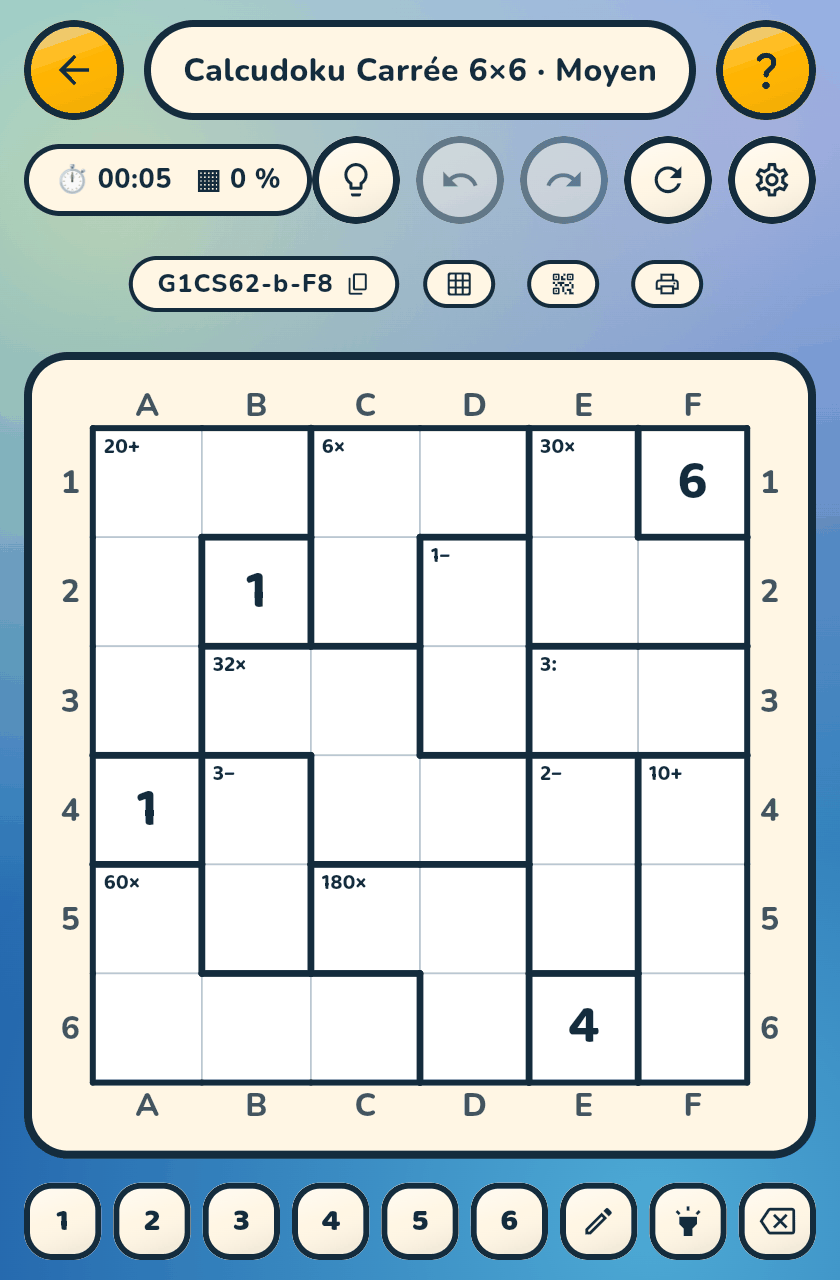
A 6×6 square Calcudoku: the cages read 20+, 32×, 3−, 3:

The arithmetic workbookCalcudoku

The grid is cut into cages that each announce a calculation: 20+, 32×, 3−, 3:. No blocks, ever. You choose the operations — addition alone, then + −, + − ×, all four — as well as the numbers, the fractions and the cage size, independently of the sudoku difficulty.

+ − × :FractionsMystery
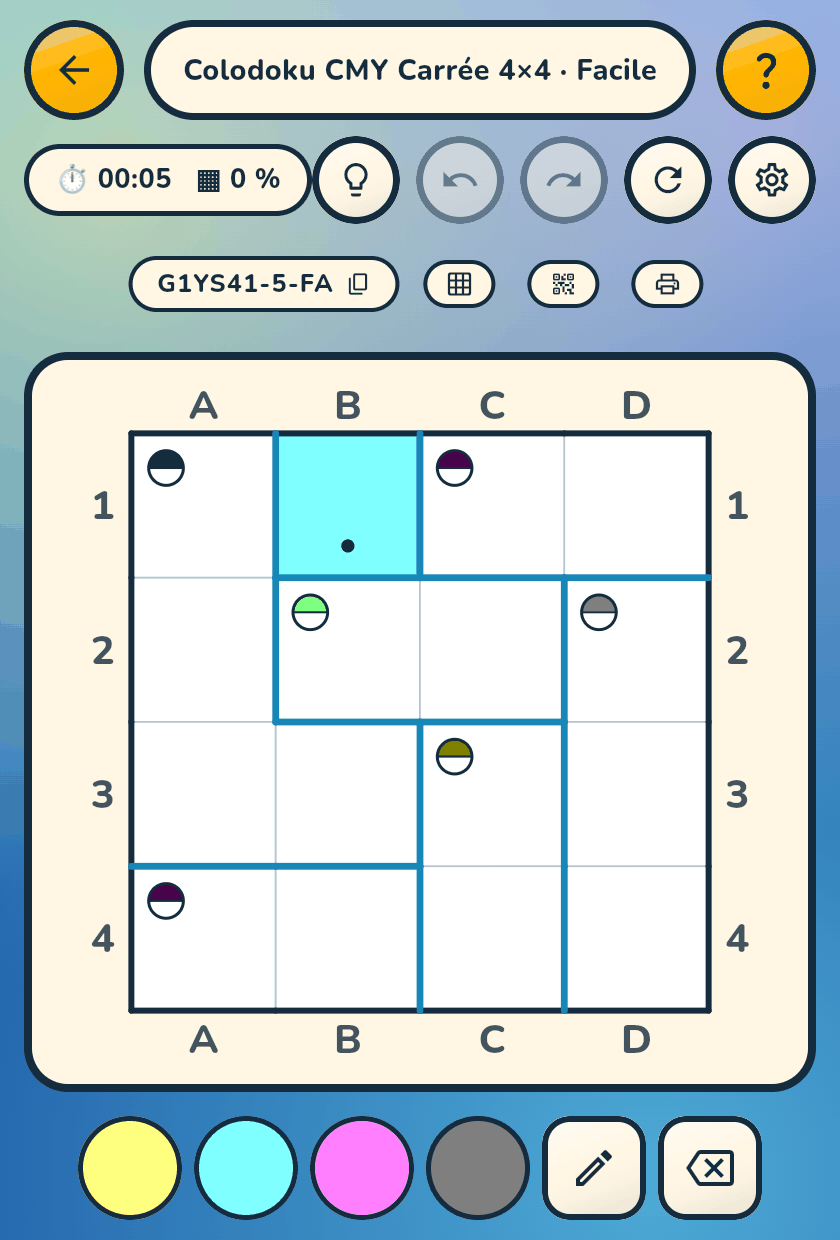
A 4×4 CMY Colodoku: colours to mix, one badge per cage

The signature modeColodoku

A cell holds a colour, a cage announces a colour, and the only operation is mixing. CMY — black target, like ink — or RGB — white target, like light: a complete row makes exactly the target. From three to eight colours.

CMY / RGB3 → 8 colours
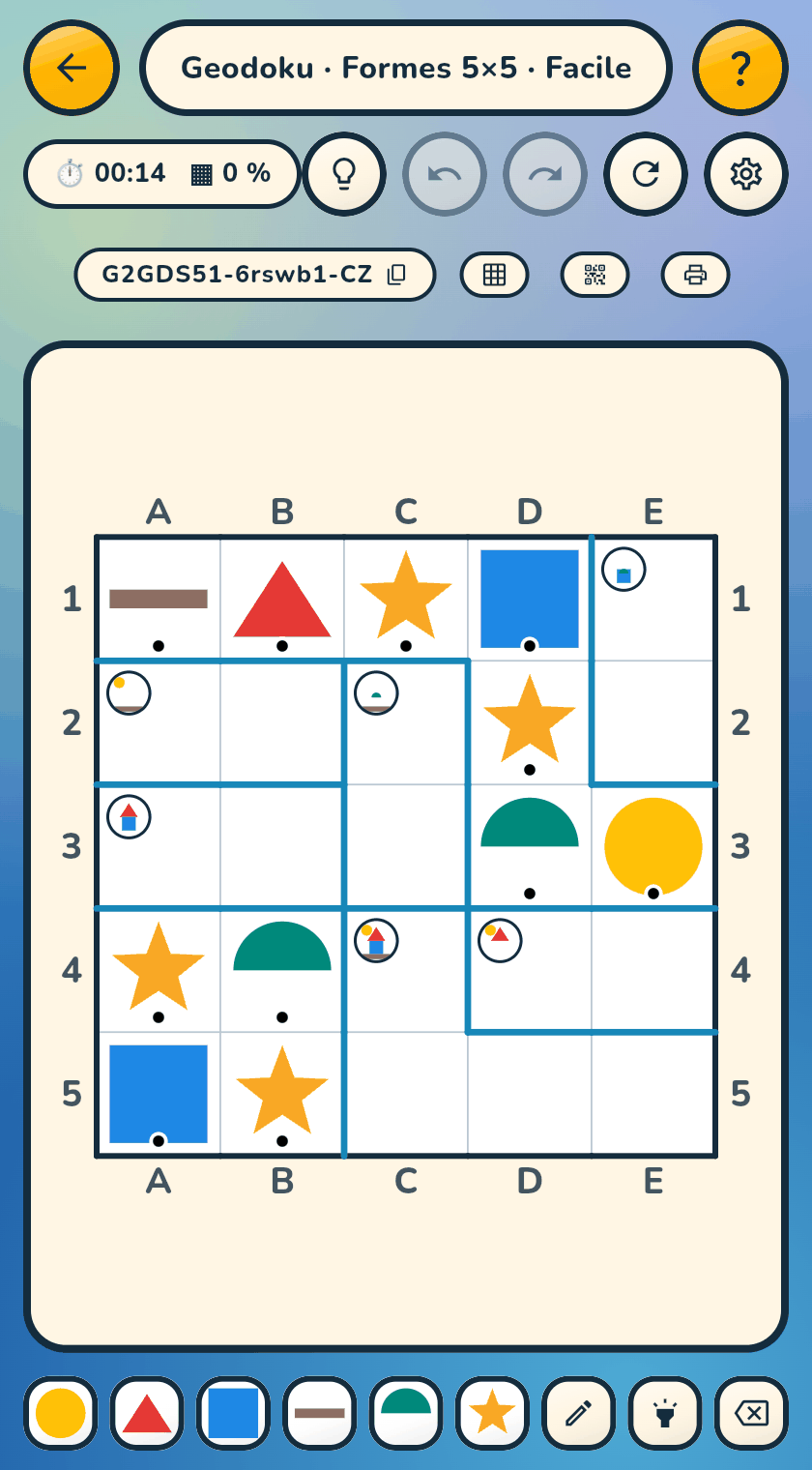
A 5×5 Geodoku: geometric shapes to place, without a single digit

Sixteen themed setsScience & Kids

Experimental — in development

A cage is no longer a sum but a recipe: place the right pieces and they compose the thing asked for. Science — Chemdoku, Phydoku, Biodoku, Astrodoku. Kids — Pictoku, Whodoku and Geodoku, playable before knowing how to count.

ScienceKids

The sixteen themed sets are experimental — in development. That forbids nothing, everything can be played. It only means that these sets are not locked yet: pieces and recipes may still change, and a grid started today may not replay identically tomorrow. Sudoku, Calcudoku and Colodoku are stable.

Five geometries

One engine, five board shapes

Changing the shape means declaring other groups to the engine. That is why a hexagon, a triangle or a completely irregular tiling are not three different games — and why, when in doubt, you only need to touch a cell: everything linked to it lights up.

Square

2 to 26 a side

From a four-cell toy to a 676-cell marathon. Blocks follow the size — 2×3 at 6×6, 4×4 at 16×16; a prime side gives a Latin square. Beyond nine, Sudoku switches to letters.

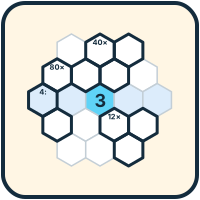
Hexagon

radius 2 to 4

19, 37 or 61 cells, and lines in three directions — no regions at all, because those numbers are prime. A Latin square with three families of lines.

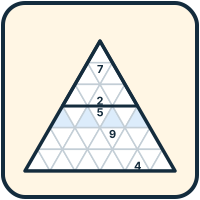
Triangle

side 6 or 9

The densest board in the game: regions of nine triangles, rows in three directions, and two triangles that touch always carry different symbols. Colodoku, for its part, plays on the Latin triangle, side 5 to 7.

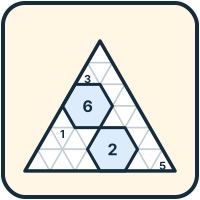
Mosaic

side 6 to 9

A triangle where some rosettes of six cells melt into a hexagon — the most constrained cell on the board. Regular layout, or a “Surprise” one drawn from the seed.

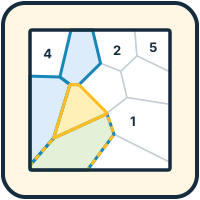
Voronoi

5 or 6 symbols in Sudoku, 5 to 8 in Calcudoku

No hidden lattice: the tiling is drawn from the seed, and no two games ever share a board. Families of zones replace rows and columns; square, hexagonal, octagonal or triangular outline.

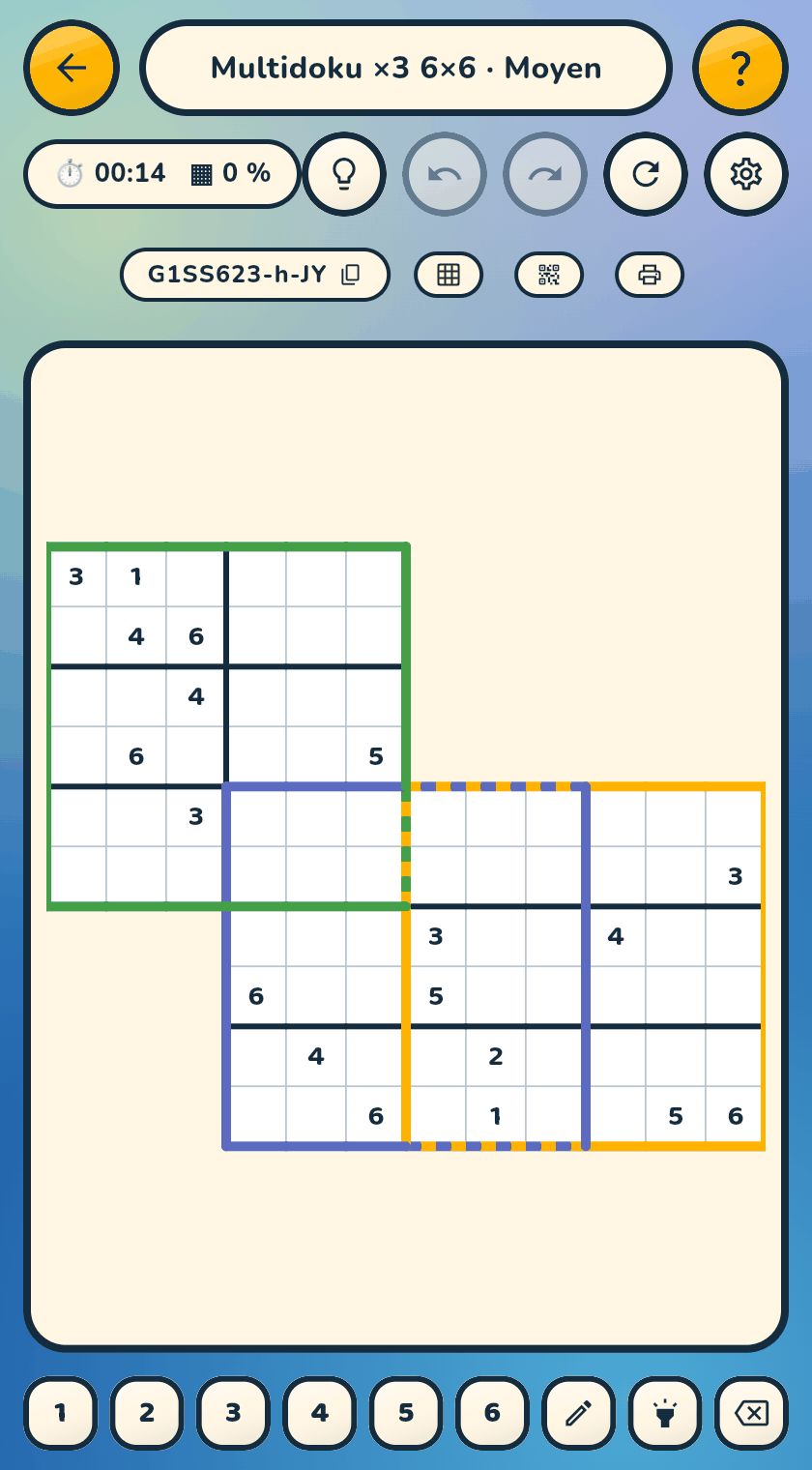
Three overlapping 6×6 grids, each with its own coloured frame

Multidoku — two to five grids

The grids overlap on a single board, each with its own coloured frame. Samurai, butterfly, windmill… rather than a catalogue, the layout is drawn from the seed: every game is a new map, and resuming rebuilds exactly the same one.

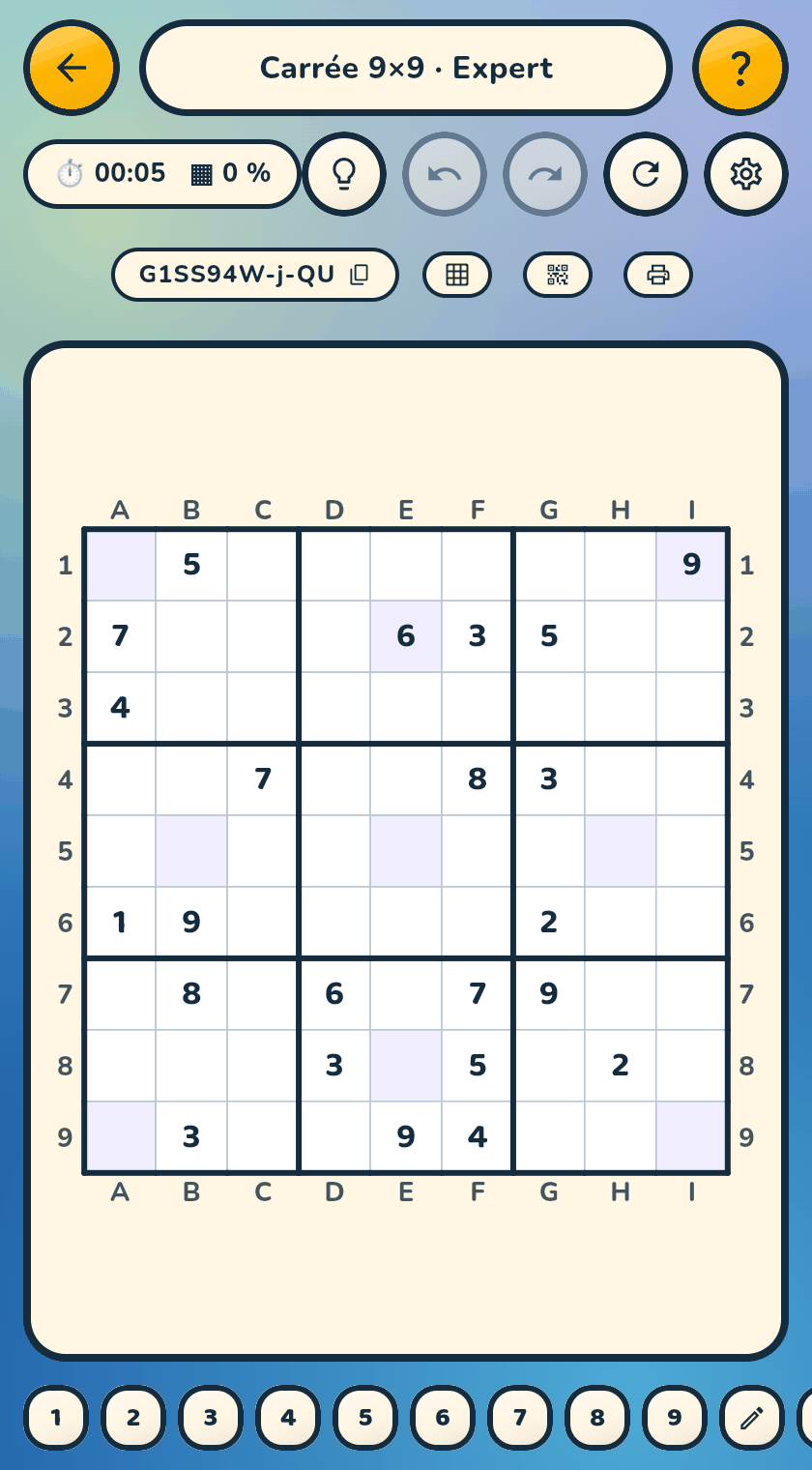
A 9×9 Sudoku whose shaded cells form extra groups

Bonus windows

Extra all-different groups, shaded on the board: there too, never the same value twice. Diagonals, windows, block centres, asterisk, girandola — the pattern is drawn at random for every game.

Playing well

Helpers that tidy your reasoning

The pencil, the torch and the colours know nothing: they tidy your reasoning, they don't do it for you. The light bulb does know the answer — and says only as much of it as you ask for.

✏️
The pencil and multi-selection
Note several candidates per cell; long-press then drag to mark every cell you cross in one go. Pencil marks are saved with the game, go through Undo and travel with the state code.
💡
The light bulb, in three steps
  1. how many cells can be found right now;
  2. the rule to use, without saying where;
  3. the cell and its value.
You choose where to stop. It never lies: if what you wrote makes the grid impossible to finish, it says so — without naming the faulty cell.
🔦
The torch
Hold a key: every cell carrying that symbol lights up, for as long as you hold. The “where are all the 7s?” tool — it changes nothing. Five colours to choose from, calibrated to the same brightness, with colour blindness in mind too.
👁️
The preview, read-only
Off by default — you have to go and enable it in Settings. It shows the whole solution, marks your wrong cells with a red background and a cross, and disables the entire keypad: you look, you don't touch. Nothing enters the game.
↩️
Undo, redo, restart
Full history from the very first move, pencil marks and cage operations included. Undo works even on a finished grid: it becomes playable again, the timer restarts, and the win is recomputed.
⌨️
A physical keyboard, everywhere
On a computer, or plugged into a phone: digits, letters, arrows, Space to switch mode, Ctrl+Z, Ctrl+C / V to copy a cell. Two-digit numbers are composed, 1 then 2.
📲
From the phone to the big screen, and back
Open the web version on the computer. Both ways, two ways to pass a game along: show a QR on one side and scan it on the other, or copy the code — the grid, or the game in progress with its values and pencil marks — and paste it across. The same code gives exactly the same grid on both sides, measured grid by grid.
🗂️
Twenty games, a lock, a note
Up to twenty saved games, in progress or finished, with timer and progress. A lock protects the ones you don't want to lose; a free-text note — “Léa, Tuesday” — reads without opening the game.
🖨️
Codes, QR, printing
Copy a code or a whole game, show a QR, print the blank grid, the answer key or the solving list. The system print dialog also knows “Save as PDF” — without any data going over the network.
🌙
A recalibrated dark theme
System, light or dark. Dark is not an inversion of the colours: the board washes, the frame tints and the strokes all have their own values.
🎨
Colour blindness, by type
Deuteranopia, protanopia, tritanopia, achromatopsia — named and described in plain words. A symbol over the colour in Colodoku, frames on another axis in multidoku, stroke patterns when no colour is perceived.
📖
The Rules sheet for this grid
Assembled from the options actually in force — Voronoi adjacency, how fractions read, unusual values — never a generic text. Plus the built-in guide, in twenty-six languages, readable offline.
♟️
Coordinates like a chessboard
Column letters, row numbers, all around the square: you say “D1” and everybody knows where to look — on the board, on the printed sheet, and when the light bulb answers you.

A question about InZeDoku?

To discover the game, prepare to use it in class or discuss a project, talk with Jacques Lovi.

When booking, mention InZeDoku and the purpose of your meeting.